Ubiquiti CloudKey+ UCK-G2-PLUS Certificates
UPDATE!!!!!
IT looks as if, during some update, they have set certificates to be set up from the webui. FINALLY! Anyway- you can go here:
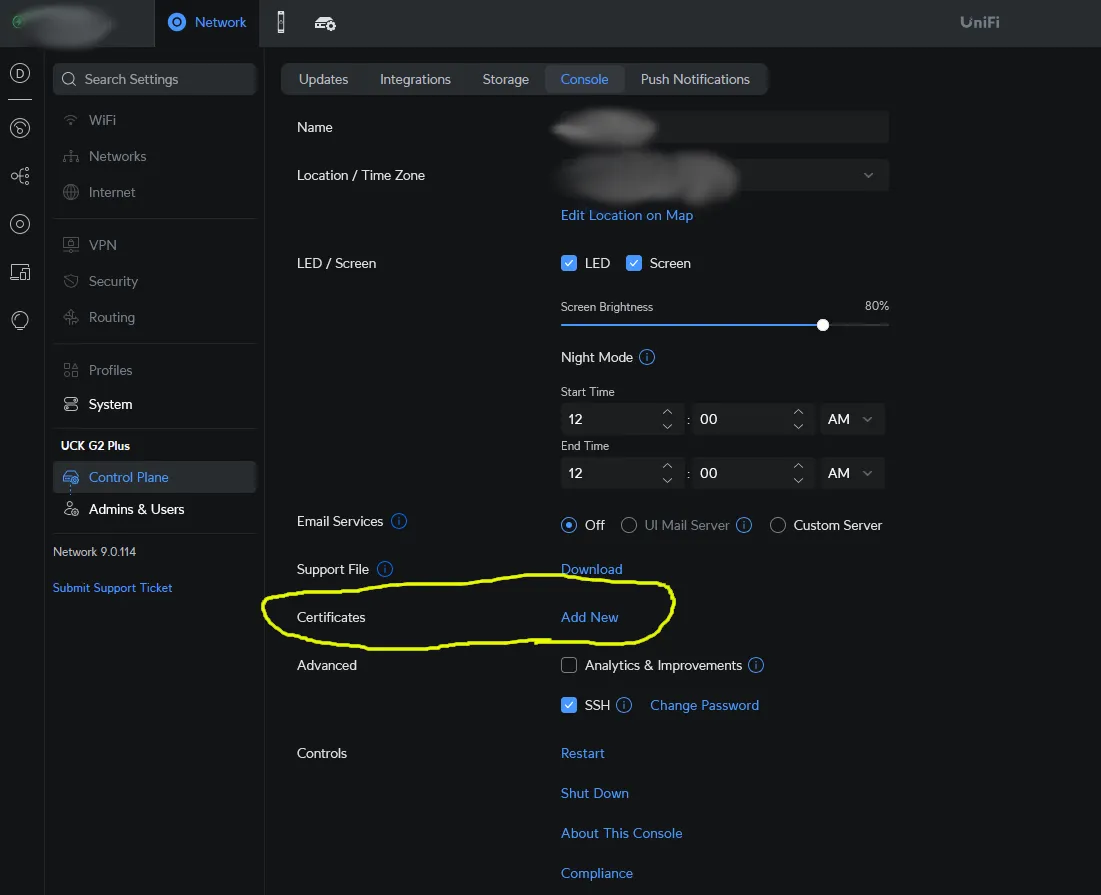 And set it up. I'm leaving the rest of this here for legacy purposes.
Why, oh, whyyy???
I've used Ubiquiti products for a number of years at this point. They make some great stuff, some interesting stuff, and some - uh, other stuff...
I'm not going to delve into my thoughts on their sprawling product lines, some of which have very short lifecycles, some of which seem to live forever, nor will I rant on the fact that we can't officially use the "access" product on a self-hosted Linux box...
What makes no sense is why Ubiquiti have yet to make certificates simple for end users via the WubUI. It's {current year} FFS. Give me a break.
It's pretty simple to install the certificates, however, despite my initial searching yielding results for older versions or ---something else that did not work.
Get to work
This is at your own risk; if you break your stuff, too bad, so sad.
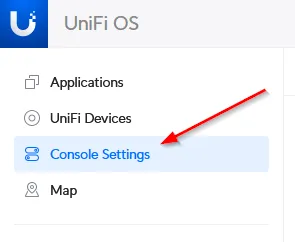
First, turn on SSH from the webUI. This is under "Console Settings". SSH to the box. After getting it on the network, go to the "Console Settings" on the left:
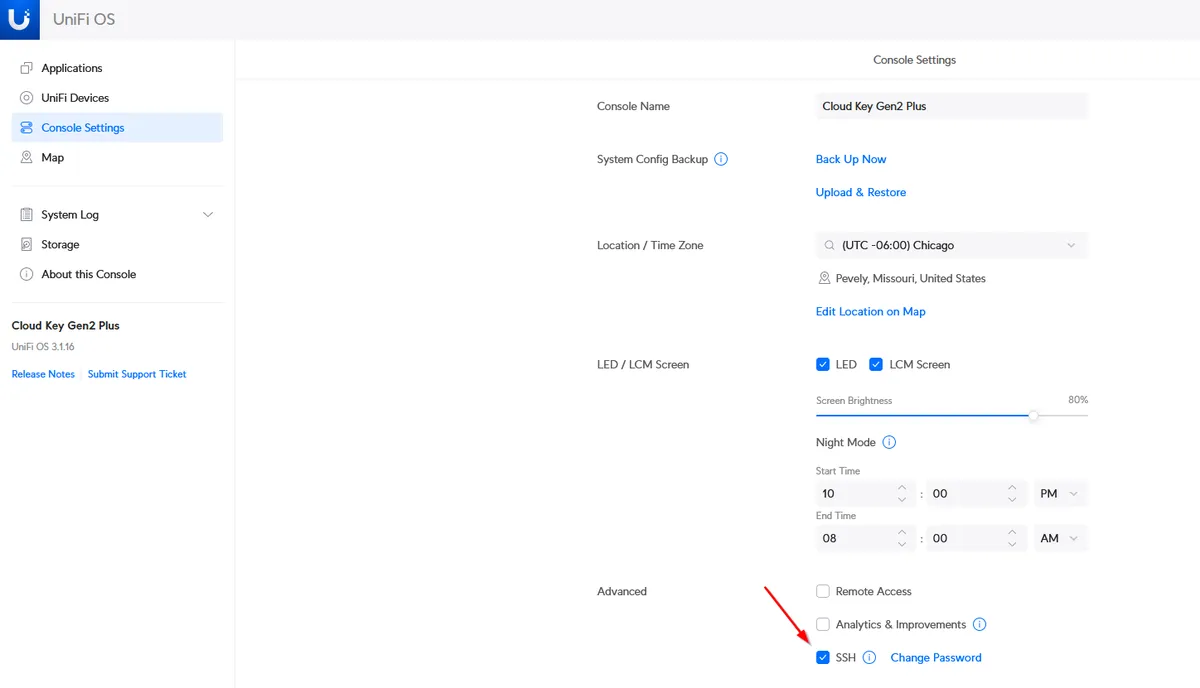
Then, turn on SSH:
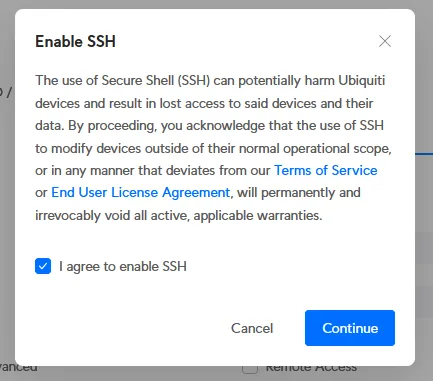
Then "accept" the dubiously legal disclaimer:
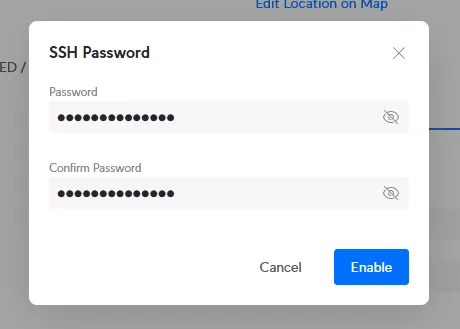
Finally set a password:
After all of that is complete, SSH should be running on the CloudKey+. Now, use your favorite SSH client and SSH into it as the "root" user.
What I'll illustrate here is how to do it via the command line, which- (now this, I will rant about) as their illegal disclaimer in /etc/motd states upon logging in:
                .--.__
  ______ __ .--(    ) )-.   __ __                    __
 |      |  (._____.__.___)_|  |  |__ _____ __ __   _|  |_
 |   ---|  ||  _  |  |  |  _  |    <|  -__|  |  | |_    _|
 |______|__||_____|_____|_____|__|__|_____|___  |   |__|
        (c) 2023 Ubiquiti Inc.            |_____|

      Welcome to the CloudKey Plus!

********************************* NOTICE **********************************
* By logging in to, accessing, or using any Ubiquiti product, you are     *
* signifying that you have read our Terms of Service (ToS) and End User   *
* License Agreement (EULA), understand their terms, and agree to be       *
* fully bound to them. The use of CLI (Command Line Interface) can        *
* potentially harm Ubiquiti devices and result in lost access to them and *
* their data. By proceeding, you acknowledge that the use of CLI to       *
* modify device(s) outside of their normal operational scope, or in any   *
* manner inconsistent with the ToS or EULA, will permanently and          *
* irrevocably void any applicable warranty.                               *
***************************************************************************
Much love for the ASCII art; that's well appreciated. What is not is the illegal "blanket" "Warranty Void" nonsense. Is there any other way to put in an SSL certificate on this thing? Okay- well then.
After looking at the nginx configuration files, it seems that it looks to the following location for the certificate and key:
root@xxx:/data/unifi-core/config/http# cat local-certs.conf
ssl_certificate     /data/unifi-core/config/unifi-core.crt;
ssl_certificate_key /data/unifi-core/config/unifi-core.key;
Simple. Take a peek in /data/unifi-core/config and you'll see the unifi.local certificate and key:
root@xxx:/data/unifi-core/config# ls -al
total 60
drwxr-xr-x 4 root root 4096 Apr 12 05:31 ./
drwxr-xr-x 7 root root 4096 Apr 10 08:38 ../
-rw-r--r-- 1 root root   56 Apr 10 13:58 apps.availableUpdates.yaml
-rw-r--r-- 1 root root  197 Apr 10 08:47 apps.userPrefs.yaml
-rw-r--r-- 1 root root  431 Apr 11 05:55 backup.yaml
drwxr-xr-x 2 root root 4096 Apr 10 09:09 cache/
-rw-r--r-- 1 root root 2961 Apr 12 05:34 firmware.yaml
drwxr-xr-x 2 root root 4096 Apr 12 05:34 http/
-rw-r--r-- 1 root root   73 Jun 18  2023 jwt.yaml
-rw-r--r-- 1 root root  761 Apr 11 06:25 settings.yaml
-rw-r--r-- 1 root root 1702 Aug 23  2023 unifi-core-direct.key
-rw-r----- 1 root root 2172 Apr 12 05:31 unifi-core.crt
-rw-r--r-- 1 root root 1192 Aug 23  2023 unifi-core.crt.bak
-rw-r----- 1 root root 1705 Apr 12 05:31 unifi-core.key
-rw-r--r-- 1 root root 1702 Aug 23  2023 unifi-core.key.bak
root@xxx:/data/unifi-core/config#
I backed up the old ones for some reason, and replaced them with standard base64 .crt and .key files. Rebooted the device and all was revealed. Will this survive a software update? I just tested with the latest update to 3.2.12 4.0.18 and it did work. I will say that I guess this changed at some point, because most folks have been messing with the keystore file in /usr/lib/unifi/data. That did nothing in my scenario, and, as the config file for nginx shows- the above is where it's looking for files.
In my case, I already created the CSR and key, and had my local CA generate the certificate. If you want information on how to create certificates, there are plenty of "how-tos" on that, but here's how you'd do it from the Cloudkey+. Since I maintain multiple things, I use a template file and generate them centrally (wahhh wahhhhh keyfiles wahhhhh- shaddup). Anyway, if you know better, do whatever you want. Otherwise, create a template file in /tmp:
root@xxx:/tmp# cat csrtempl
[ req ]
prompt = no
default_bits = 2048
distinguished_name = req_distinguished_name
days = 3650
[ req_distinguished_name ]
C=UY
ST=Lavalleja
L=Minas
O=Some Company
OU=Information Technology
CN=xxx.somecompany.local
[ req_ext ]
subjectAltName = @alt_names

[alt_names]
DNS.1 = xxx
DNS.2 = xxx.somecompany.local
Now that a template is ready, make a CSR and key with openssl(1):
root@xxx:/tmp# openssl req -nodes -new -config csrtempl -keyout unifi-core.key -out unifi-core.csr

Generating a RSA private key
.............+++
+..........................................................................................................................
+++++
writing new private key to 'unifi-core.key'
-----
root@xxx:/tmp#
Use the CSR to have your CA generate a certificate and place that newly received certificate in:
/data/unifi-core/config/unifi-core.crt
As shown above. Then move your key file in there as well:
root@xxx:/tmp# mv unifi-core.key /data/unifi-core/config/unifi-core.key
root@xxx:/tmp#
Then, just for somewhat decent form, change permissions on those (although, if anyone is logged into your Cloudkey+, it wouldn't matter anyway, would it):
root@xxx:/tmp# chmod 640 /data/unifi-core/config/unifi-core.key /data/unifi-core/config/unifi-core.crt
root@xxx:/tmp#
Or, just use your favorite editor (vi) and edit the already-existing unifi-core.key and unifi-core.crt files.
Make sure your hostname is set correctly and such. Reboot the Cloudkey+ and it should now come up with a certificate that is not "unifi.local", but is instead your lovely CA issued certificate.
If you have complaints, write your own how-to. If you have constructive feedback, cool- post it.